
Why does internal linking matter for WordPress SEO?
Internal links do three things that directly affect your rankings. They distribute PageRank (link equity) from your strongest pages to pages that need it. They help Google discover and index new content faster. And they signal your site’s hierarchy, telling search engines which pages are most important.
Most WordPress sites handle internal linking reactively. Someone writes a post, maybe drops in a link or two, and moves on. The result is a messy link graph with orphan pages (zero links pointing to them), over-linked homepages, and no clear topical structure.
A deliberate internal linking strategy turns your site from a collection of disconnected posts into a structured knowledge base. Google rewards that structure with better crawl efficiency and stronger topical authority signals.
The hub-and-spoke model for WordPress
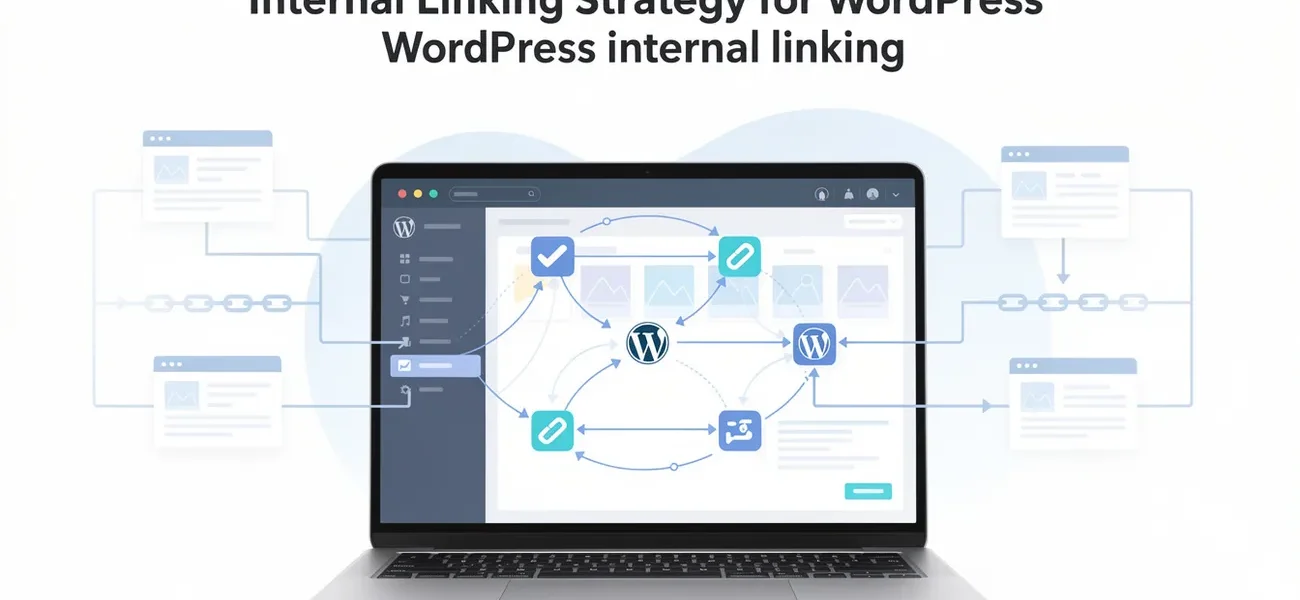
The most effective internal linking architecture for WordPress is the hub-and-spoke model (also called pillar-cluster). It works like this:
Hub pages (your service or pillar pages) cover a broad topic at a high level. They target commercial-intent keywords.
Spoke pages (your blog posts) cover specific subtopics in depth. They target informational-intent keywords.
Links flow in both directions:
- Every spoke links up to its hub
- The hub links down to its top spokes
- Spokes link sideways to related spokes in the same cluster
| Link Direction | Example | Purpose |
|---|---|---|
| Spoke → Hub | Blog post links to service page | Passes authority to commercial page |
| Hub → Spoke | Service page links to blog posts | Helps Google discover cluster content |
| Spoke → Spoke | Blog post links to sibling post | Builds topical relevance within cluster |
| Cross-cluster | SEO post links to Performance post | Connects related topics across clusters |
For a WordPress consulting site, the SEO service page is the hub. Blog posts about technical SEO audits, Core Web Vitals, schema markup, and this post about internal linking are all spokes. Each one links to the service page and to 1-2 siblings.
How to build your internal link map
Before adding links, you need to know what you have. Run a crawl of your site using Screaming Frog (free for up to 500 URLs) or Sitebulb. Export the internal link data and look for:
Orphan pages — Pages with zero internal links pointing to them. These are invisible to both Google and users unless they’re in your sitemap. Every page on your site should have at least 2-3 internal links pointing to it.
Over-linked pages — Your homepage probably has hundreds of internal links. That’s normal. But if a random blog post has 50+ outgoing internal links, you’re diluting the equity each link passes.
Click depth — How many clicks from the homepage to reach any given page. Important pages should be within 3 clicks. If your best content sits 5+ clicks deep, crawlers deprioritize it.
Missing cluster connections — Posts in the same topic cluster that don’t link to each other. These are missed opportunities to reinforce topical authority.
Once you have this data, build a simple spreadsheet:
| Page | Cluster | Links In | Links Out | Orphan? | Priority |
|---|---|---|---|---|---|
| /wordpress-seo-audit/ | SEO | 4 | 3 | No | High |
| /fix-core-web-vitals/ | SEO | 3 | 2 | No | High |
| /old-post-nobody-links-to/ | SEO | 0 | 1 | Yes | Fix immediately |
Anchor text rules that work
Anchor text tells Google what the destination page is about. Get it right and you reinforce the target page’s keyword relevance. Get it wrong and you confuse the signal.
Do:
- Use the destination page’s primary keyword or a natural variation
- Vary anchor text across different links to the same page
- Make anchors descriptive enough that a reader knows what they’ll find
- Place links within the natural flow of a sentence
Don’t:
- Use “click here” or “read more” (tells Google nothing)
- Use the exact same anchor text every time you link to a page (looks manipulative)
- Stuff keywords into anchors that don’t read naturally
- Link entire paragraphs or headings
Good examples:
- “Our WordPress technical SEO audit checklist covers the full crawl-to-render review process.”
- “If your LCP is failing, start with the Core Web Vitals fix guide for WordPress-specific solutions.”
Bad examples:
- “Click here to learn about audits.”
- “Check out this post.”
Where to place internal links for maximum impact
Link position matters. A link in the first paragraph of your content carries more weight than one buried in the footer. Google’s algorithms account for link prominence.
High-value positions:
- First 100 words of the content (contextual, relevant link)
- Within the body of a section that’s topically related to the destination
- In a “related reading” callout between sections
Lower-value positions: 4. Footer navigation (still useful for users, less SEO weight) 5. Sidebar widgets (often ignored by users and discounted by Google) 6. Author bio links
For WordPress specifically, avoid relying on “Related Posts” plugins that auto-generate links based on categories or tags. These produce generic, often irrelevant connections. Manual contextual links within your content are worth 10x more than automated sidebar suggestions.
How to audit and fix internal links on an existing WordPress site
If your site already has 50+ posts with inconsistent linking, here’s the process:
Step 1: Identify your hub pages. These are your service pages or pillar content. List them with their primary keywords.
Step 2: Map every post to a cluster. Each post belongs to one primary cluster (matching its category). Some posts may have secondary relevance to other clusters.
Step 3: Check each hub page. Does it link to its top 3-5 spoke posts? If not, add those links.
Step 4: Check each spoke post. Does it link to its hub page? Does it link to 1-2 sibling posts? If not, add those links.
Step 5: Find and fix orphan pages. Any page with zero internal links needs at least 2-3 links from related content.
Step 6: Verify anchor text. Are you using descriptive, keyword-relevant anchors? Replace any “click here” or generic anchors.
This audit takes 2-4 hours for a site with 30-50 posts. Do it quarterly, and add proper internal links to every new post as you publish it.
Internal linking and AI search engines
AI search engines (Google AI Overviews, Perplexity, ChatGPT) use your site’s link structure to understand content relationships and determine source authority. A well-linked site with clear topical clusters is more likely to be cited as a source than a site with disconnected pages.
When an AI system crawls your site and finds a tight cluster of interlinked posts all covering WordPress SEO from different angles, it recognizes topical depth. That cluster becomes a candidate source for answering questions about WordPress SEO. Isolated posts without contextual connections don’t signal the same authority.
The practical implication: internal linking isn’t just about passing PageRank anymore. It’s about building a machine-readable knowledge graph that AI systems can traverse and trust.
Next step
Open Screaming Frog or your preferred crawler and run a full crawl of your site. Export the “Inlinks” report. Sort by pages with zero inlinks. Those orphan pages are your immediate priority. Add 2-3 contextual internal links to each one from related content, using descriptive anchor text that includes the target page’s primary keyword.
Then check your hub pages. If your main service page doesn’t link to your best blog posts, you’re leaving authority on the table. Add those connections and watch how Google recrawls and reindexes those pages within days.